Rayman Legends Retold Controls and Helper Inputs
Movement, Murfy interactions, accessibility defaults, and couch co-op camera habits for every platform.
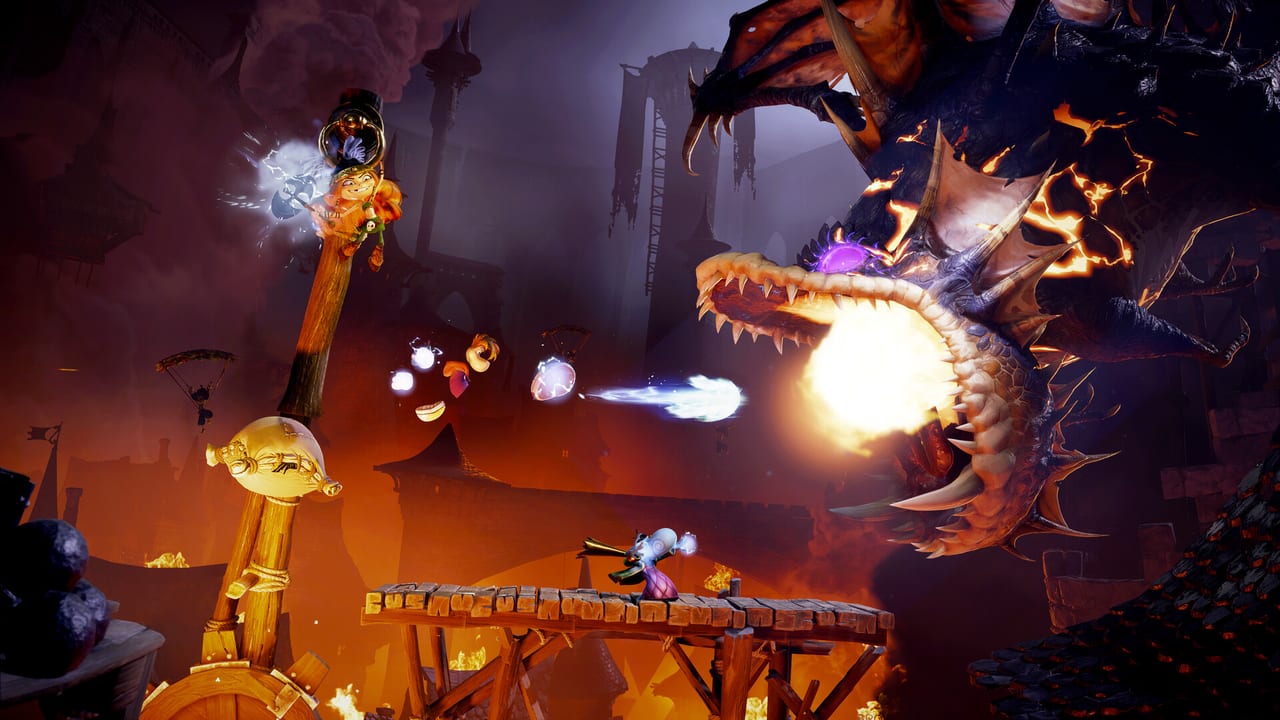
Rayman Legends Retold keeps the series’ responsive side-scrolling feel while adding helper interactions, Fairy Radiance blasts, dragon flight, and a deep accessibility layer. Exact face-button labels can vary by platform remaps, so this guide focuses on mechanics and default helper bindings Ubisoft has confirmed publicly. Always open the in-game remap screen after install and save a custom profile before hard music stages.
If you are brand new, pair this page with Getting Started. For Fairy Radiance puzzles, continue to Fairy Radiance. Party sessions should also read the Co-op Guide.
Core movement loop
Every playable hero—Rayman, Globox, Barbara, and Grand Minimus—shares the same fundamental kit:
- Run and jump form the base. Wall jumps chain along vertical shafts; practice early in Old Teensie Kingdom.
- Hover or glide after a jump extends air time for Lum lines and Teensy cages hanging over pits.
- Punch / slap clears most enemies and knocks soccer-style balls in stages and Kung Foot.
- Slam or stomp breaks floors, hits grounded switches, and finishes stunned foes.
- Swim and climb appear in Iron Shell and vertical hub secrets; keep jump buffered when exiting water so you do not miss a ledge.
Retold’s 3D camera tilts around the play plane. Depth is mostly visual; gameplay still reads as a side-scroller. If a ledge looks ambiguous, nudge slightly toward camera or away until the character snaps to the intended rail, then jump.
Murfy helper interactions
Murfy remains the floating helper who opens Teensy cages, pulls levers, and tickles certain gadgets. In solo play you control Murfy with a dedicated helper input while your hero moves. In co-op, a player can focus on Murfy duties while others push the route.
Typical Murfy jobs:
- Open Teensy cages once you reach them
- Drag or slap interactive ingredients and switches
- Assist with tickling sequences on large creatures or machinery
Accessibility options can automate some tickling and related holds if repeated presses are painful. That does not remove the need to position heroes correctly—automation reduces input spam, not routing.
Fairy Blessing default inputs
Fairy Blessing is an optional accessibility power from Betilla. When enabled in Settings (or accepted after repeated deaths), invoke it with the default L2 (PS5) / LT (Xbox) / ZL (Switch 2) press, then press again to drop the effect. While active you can fly (including through breakable obstacles), avoid damage, defeat enemies on contact, collect rewards, and revive yourself and floating allies.
Important limits:
- Disabled in hubs, Kung Foot Evo, and all Cave of Trials challenges
- In the Land of the Livid Dead, Fairy Blessing replaces Fairy Radiance interactions when you collide with corrupted elements
- It is not a consumable; toggle freely in supported adventure stages
Details and Hearts context live in Teensies and Fairy Radiance.
Fairy Radiance and adventure powers
In the sixth realm, Fairy Radiance (granted via Betilla’s story beats) fires light that spreads across thorned branches to create paths and defeats certain corrupted enemies. You can enable automation for Fairy Radiance presses if needed. Do not confuse Fairy Radiance (realm power) with Fairy Blessing (accessibility toggle).
Dragon ride inputs
Dragon Rides open into freer 3D movement with a fire-breath attack. Ubisoft provides Autoshoot so you can focus on steering through obstacles while the game handles repeated fire inputs. If you prefer manual fire for Lum farming, leave Autoshoot off. Practice the first ride slowly; camera freedom is higher than in corridor stages.
Music level timing
Music Levels demand clean jump and punch timing on the beat. Remap any awkward shoulder combinations before attempting new tracks such as the Macarena stage. Wired controllers reduce Bluetooth latency on PC and some TVs.
Kung Foot Evo controls mindset
Kung Foot expands ball control: you can hold the ball and pass to teammates, not only slap it wildly. Arenas are larger and more vertical. Custom rules may change friend fire, ball type, or end conditions—check the pre-match menu every session so your muscle memory matches the lobby settings. Fairy Blessing stays off here.
Co-op camera and drop-in notes
Local co-op supports up to four players on one system. The shared camera follows the group; stragglers can fall behind and get pulled forward depending on stage design. Agree on who handles Murfy cages and who leads jumps. Per-player accessibility is supported—one friend can use Fairy Blessing or Highlights while others play vanilla. Hearts and pit deaths still apply individually for many hazards; communicate before risky leaps. Full party advice sits in the Co-op Guide.
Keyboard and PC considerations
PC players on Steam, Epic, or Ubisoft Connect can use keyboard and mouse or any supported pad. For precision platforming and music stages, a controller is strongly recommended. Bind Murfy and Fairy Blessing to keys you can reach without releasing movement. Disable conflicting overlays that steal focus mid-jump.
Remapping checklist
- Open Settings → Controls after the first cinematic.
- Bind movement, jump, attack, and Murfy to comfortable positions.
- Note Fairy Blessing’s default shoulder mapping and change it if it conflicts with your glide or aim habits.
- Enable Autoshoot for dragon rides if you want lower input load.
- Turn on Highlights categories you need (rewards, enemies, interactive objects, players).
- Save the profile before entering Cave of Trials or tough Mount Elysium stages.
Practice drills
Spend ten minutes in the first world hub and early stages practicing wall-jump chains, slam breaks, and Murfy cage opens without rushing Lum totals. Then clear one short stage with Highlights on and one with Highlights off so you learn both visual languages. Finish by sampling a dragon ride with Autoshoot enabled once, then disabled once.
When controls feel natural, return to the Walkthrough for realm order, hunt cages with Teensies, and add couch players using the Co-op Guide. The Guides Hub lists every related article in reading order.
Frequently Asked Questions
Quick answers for Rayman Legends Retold players.
What is the default Fairy Blessing button?
By default, press L2 on PlayStation, LT on Xbox, or ZL on Switch 2 to toggle Fairy Blessing after enabling it in Settings or via Betilla.
Can I remap controls?
Yes. Rayman Legends Retold supports full control remapping. Save a custom profile before music levels and Cave of Trials.
Does Murfy need a second player?
No. Solo players control Murfy with a helper input. In co-op, one player can specialize in Murfy while others lead platforming.
Is Autoshoot available outside dragon rides?
Autoshoot is confirmed for Dragon Rides. Other assists include automation options for Fairy Radiance, Fairy Blaze, and tickling interactions.
Why does Fairy Blessing do nothing in Kung Foot?
Fairy Blessing is intentionally disabled in hubs, Kung Foot Evo, and Cave of Trials so competitive scores stay fair.